


Magazine Archive
Home -> Magazines -> Issues -> Articles in this issue -> View
All Things Being Equal | |
EqualisationArticle from Electronic Soundmaker & Computer Music, March 1985 | |
Equalisation in the studio is a major aspect of most recording work. We take you through the basics and give a guide to some of the better buys.
Jim Betteridge examines the mysteries of equalisation and shows what it can do for you.
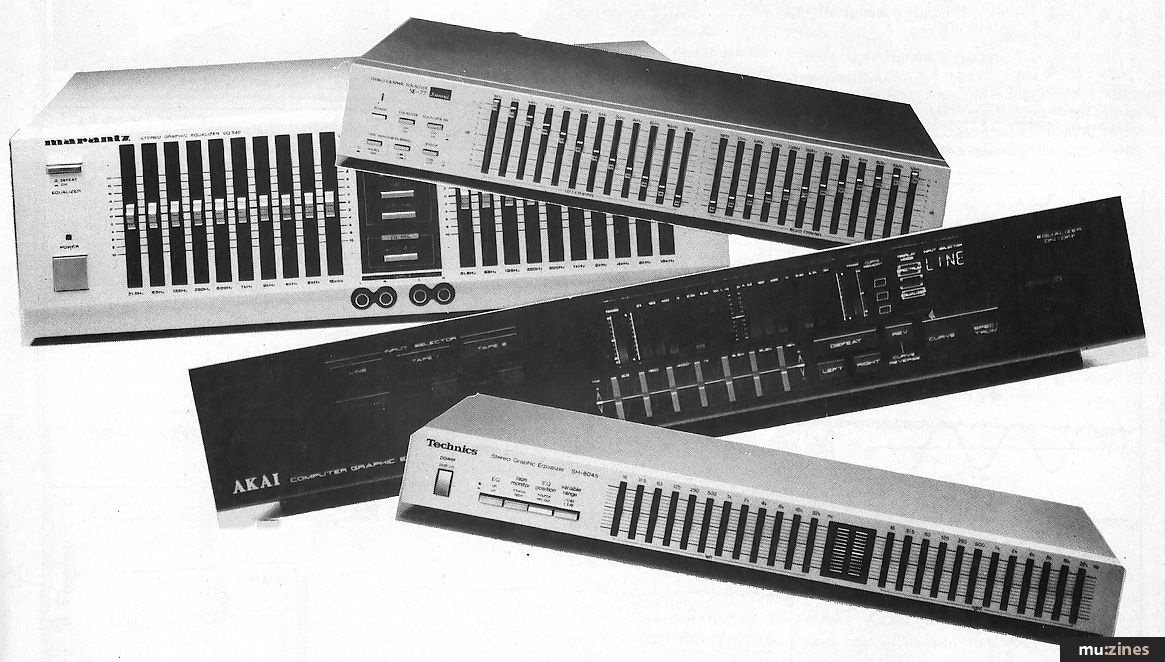
To most musicians, 'equalisation' must seem an unlikely and largely irrelevant term for what is, to all intents and purposes, just an elaborate set of tone controls.
Yet, such is the status and overwhelming complexity of jargon within the industry, that most users let the anomaly go as simply another of those foreign, technical mysteries.
The derivation of the term isn't important, but how it works is. In studios all over the world people are merrily dealing out instructions concerning the addition of some '1k' to the bass guitar, or the sticking-on of some '10k' to the vocals, while all the time a cloud of partial ignorance hovers over the proceedings. They know approximately the musical affect their twiddlings will have on the sound, yet most of them will have learnt the terms by rote, from other equally bemused persons. A subjective, practical knowledge of equalisation is of vital importance, but its use is undoubtedly restricted if you don't understand the basic variables involved.
An Electrical Copy
What our auditory systems detect as sound actually consists of a rapid fluctuation in air pressure level. The whole of the modern sound recording/reproduction process requires that we should deal with an electrical representation of this acoustic variation so that we might process sounds electronically. Hence we create an analogously fluctuating voltage; it's the same information, but in a different form: an electrical copy.
The pitch of a sound is dependant on how frequently these fluctuations take place: a greater frequency results in a higher pitch, and vice versa. Such terms as "mid" frequency, and even "high mid" and "low mid", simply refer to non-specific bands of frequencies between the high and low extremes.
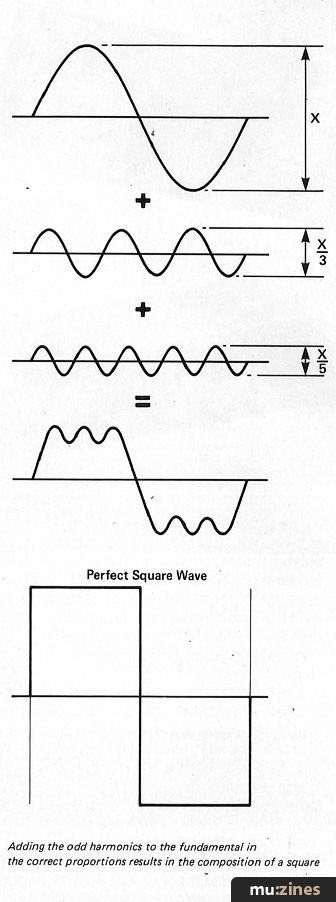
Adding the odd harmonics to the fundamental in the correct proportions results in the composition of a square
A single frequency of, for example, one thousand fluctuations a second, would sound like a fairly high pitched whistling sound, whilst halting that to 500 fluctuations a second, would produce the same tone, one octave lower in pitch. Here we have a basic rule then: A doubling in frequency gives an octave rise in pitch, and vice versa.
Instead of saying "fluctuations a second", the term "hertz" is used, often abbreviated to "Hz". The pure single frequency mentioned above would be referred to as a "sine wave", and all other sounds can be analysed in terms of a complex combination of sine waves of differing levels and frequencies. No naturally occurring sound, even a whistle, is a pure, single sine wave, it will always be a combination. Even so, when a note is sung or played, there is usually an easily discernable fundamental pitch to it, ie "A 440Hz". In this case, the range of frequencies centering on 440Hz would be notably higher in level than a any other frequency, thus providing the dominant pitch which is termed the "fundamental".
The equalisation section of a mixing console consists of a number of pots, each of which can be used to effect a given band of frequencies. These bands will possibly be marked as — HF, MID, LF etc, or on other mixers the actual 'centre frequencies' will be stated, eg 100Hz, 3kHz, 10kHz etc. In the same way that a natural sound of 440Hz will consist of a, possibly complex, combination of frequency components, it's also important to realise that when a control is marked, eg "600Hz", it won't effect just that single frequency, but rather a band of frequencies centering on it. The width of the band is known as the equaliser's "Q", and this alters the control's subjective effect to make it either broader and more subtle or more resonant and pointed.
Types
For convenience you can consider the market place as offering five different basic types of equaliser, although some rarer models do offer a combination of types in one unit.
1. Fixed Band Equalisers — Two or more bands of control where the centre frequency of each band is fixed.
2. Sweepable Equalisers — Each band has two controls instead of one. The second control allows you to continuously adjust, or "sweep" the centre frequency of the band between its given limits.
3. Semi-Parametric Equalisers — In addition to the gain and the frequency sweep controls, this design incorporates a switch to allow selection of either a high or low Q.
4. Fully Parametric Equaliser — In place of the Q switch is a third control allowing continuous control.
It is not usual to get types 2, 3 or 4 with more than four bands, and if you do want a higher number of individual controls, at a reasonable price, you're in need of type number...
5. Graphic Equalisers — This gives you individual control over a number of fixed bands, usually anywhere between five and thirty-one. Each control is in the form of a vertically moving slider, and thus as the controls are moved up or down about their central point of neutrality, their positions provide a graphical display.
Applications
When approaching a musical arrangement or mix, one way of considering each instrument or component is in terms of the space it is to fill. If you don't give a part a little space, in some way or other, it will lose its presence and the track may lose its clarity.
Separation in pitch, time and stereo imaging are the more obvious ways of leaving space, but if two lines cross each other in those ways it is possible to allow them both equal clarity with a little tonal definition. It's difficult to make any rules here, although brighter sounds will tend to be more aggressive; it's really just a useful approach to bear in mind when considering how you're going to put a tune together. If limited funds mean only a limited number of auxiliary eq devices, don't forget that any unused channels on your mixer may be usable as extra ones.
Many, if not most, multitrack desks have direct outputs, ie each channel has its own separate input and output so that it can be used in isolation, more or less as an auxiliary unit. A common console eq configuration is a 3-band with sweepable mid, and fixed bass and treble controls. One channel might, for example, allow you to reduce the effect of an annoying ring on a snare drum at around 800Hz, but then you've nothing left to inject some bite into the sound in the region of 3kHz.
In this case it would be a simple matter to leave this channel un-routed and take its direct output (the level of which will be determined by the normal channel fader) and plug it into the line input of a spare channel. Having added the necessary 3kHz to the sound, you can then route the corrected snare drum to its original destination, eg the multitrack, the stereo outputs for mixdown etc.
Now that you have the signal in two channels, it is also possible to divide it in the stereo image, either at the mixdown stage or by using two tracks on the multitrack; in this case the slightly variant tonalities will provide a degree of subjective separation which would otherwise not be apparent — it's not the same as a delay line, but it doesn't cost anything either.
Normal desk eq can also be used to change the sound of an effects send or return: it can help round out the tone of a cheap reverb/effects unit, or it can roll-off the low and high ends to keep noise to a minimum, and once again the same quasi-stereo effects can be achieved at no expense; ie to spread a mono reverb return.
One possible drawback is that each time a signal passes through channel it will be slightly degraded to a degree determined by the quality of the mixer. On the whole though such losses are outweighed by the gains.
If your mixer doesn't have direct outputs, you might be able to use the send side of the break points to access a signal in a channel, although it may be necessary to make up a 'Y' lead for stereo effects.
Analyse and Equalise
A device that often goes hand-in-hand with a graphic equaliser in both live and studio environments is a 'spectrum analyser', and in fact the two are very similar.
The graphic equaliser filters a sound into a number of frequency bands so that it can either increase or decrease the amplitude of each of these components to change the overall timbre. The analyser goes through the same filtering process but its job is to display on a screen the current amplitude present in each of those bands. Thus, for each of the equaliser's sliders the analyser has a bargraph — usually LED's.
By putting pure pink noise through your monitors you can see how the combination of their response and the room's acoustic is colouring the sound you're hearing. The analyser is set up so that a straight line display (all the bargraphs reading the same) shows a 'true' or 'flat' response, so that any nonlinearity is easily spotted. A flat characteristic is not necessarily desirable, and your ears have to be the final reference, but an analyser is undoubtedly a useful tool and gives you a simple graphic reference with which to consider sound.
That's a brief overview of equalisation, although precisely how to twiddle each knob, and when, is a matter of experience. You just have get hold of a unit or two and play around. Here are a few brief examples of available products:
The Accessit 'Dual Sweep Equaliser' — £44.95 (+VAT)
Separate Power Supply — £6.99 (+VAT)
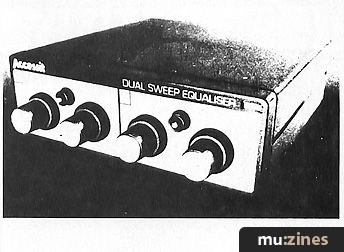
This can be seen as a 2-band sweepable ranging from 20Hz to 20kHz. Each of the two bands can be switched to cover either the lower range of 50Hz to 5kHz, or the higher, 200Hz to 20kHz. There are two sets of jack inputs and outputs so that it can be used as a single 2-band device or as two single band devices. Clever, cheap and very inexpensive, it comes highly recommended as good value for money for a home set-up. On its own it is a small free-standing unit, although should you wish to use other Accessit units in the same range, a 3-way rack-mounting system is available. Although a separate power supply unit is needed, once purchased, it is capable of driving up to four Accessit devices.
The Teac Tascam PE-40 £306 (+VAT)
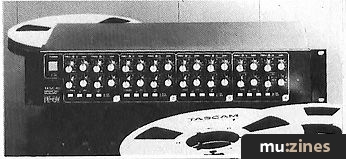
This is a 3-1/2" deep, rack mounting unit that takes us some way up-market of the Accessit. It provides four separate channels of 4-band parametric equalisation each with switchable high and low pass filters. The frequency bands overlap considerably and each gain control offers +/-15dB's; that's a lot of power in a compact unit. It's good, but unfortunately that fact is reflected in the price.
Cutec GS-2200 Graphic/Analyser £262 (inc. VAT)
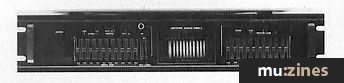
In this one unit a pair of 10-band graphic equalisers have been combined with a spectrum analyser and a pink-noise generator. Here, then, is all you need to analyse and modify your studio/PA system's response. In true Cutec style, it offers a lot of facilities at a low price. A good buy for a low-budget system.
More from these topics
 When is EQ |
Kit Noise |
 All About Reverb |
 Special FX |
 Signal Processing With Sequencers |
 Hands On: Eventide H3000 Series |
 To Phase or to Flange - Or To Each His Own |
 Digital Signal Processing - An introduction (Part 1) |
 Polarity Unveiled |
 Workbench - Signal Processors - the saga continues |
 History |
 How It Works - Tape Machines (Part 1) |
Browse by Topic:
Effects Processing
Sound Fundamentals
Publisher: Electronic Soundmaker & Computer Music - Cover Publications Ltd, Northern & Shell Ltd.
The current copyright owner/s of this content may differ from the originally published copyright notice.
More details on copyright ownership...

Electronic Soundmaker - Mar 1985
Donated & scanned by: Mike Gorman
Feature by Jim Betteridge
Help Support The Things You Love
mu:zines is the result of thousands of hours of effort, and will require many thousands more going forward to reach our goals of getting all this content online.
If you value this resource, you can support this project - it really helps!
Donations for April 2026
Issues donated this month: 0
New issues that have been donated or scanned for us this month.
Funds donated this month: £0.00
All donations and support are gratefully appreciated - thank you.
Magazines Needed - Can You Help?
Do you have any of these magazine issues?
If so, and you can donate, lend or scan them to help complete our archive, please get in touch via the Contribute page - thanks!
Please Contribute to mu:zines by supplying magazines, scanning or donating funds. Thanks!
Monetary donations go towards site running costs, and the occasional coffee for me if there's anything left over!

 @mu_zines
 RSS Feed
 Blog
Blog