
Magazine Archive
Home -> Magazines -> Issues -> Articles in this issue -> View
Greengate DS:4-8 | |
Article from Sound Engineer and Producer, May 1986 | |
The Greengate sampling system continues to expand and develop
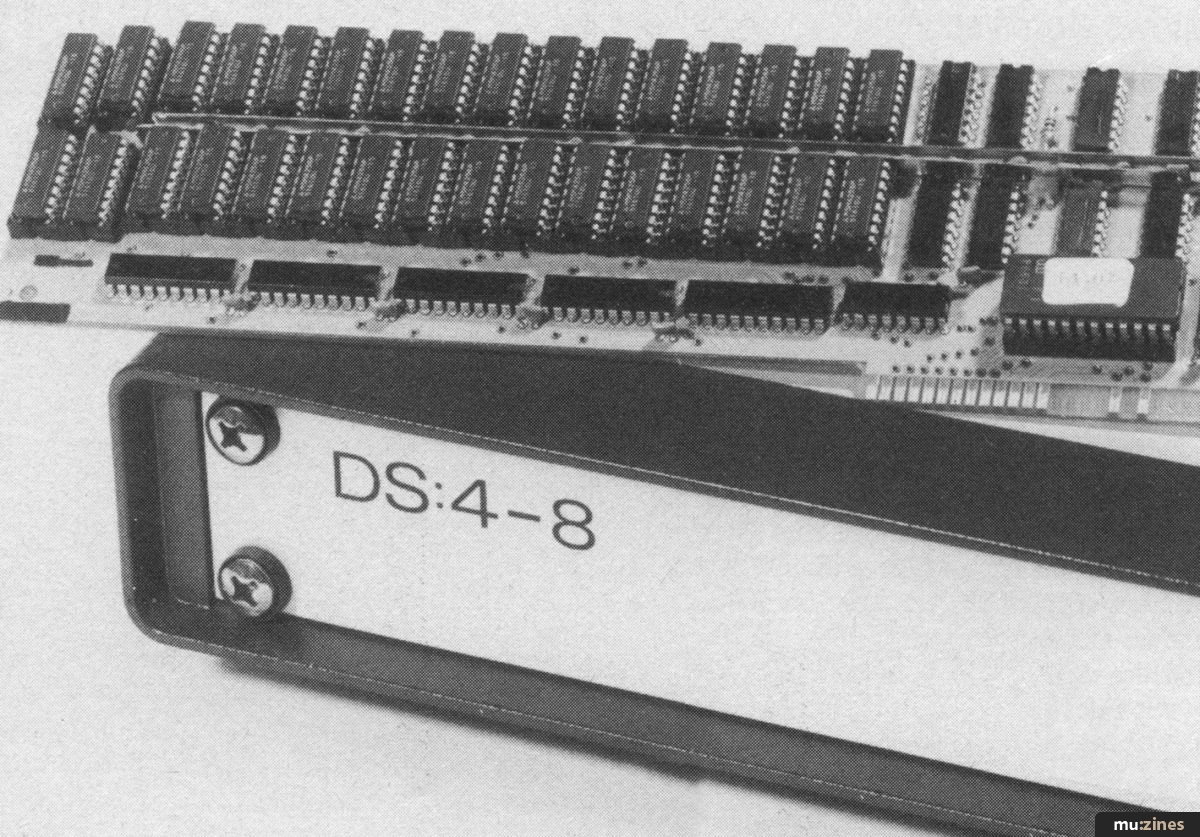
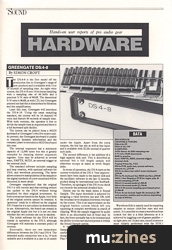
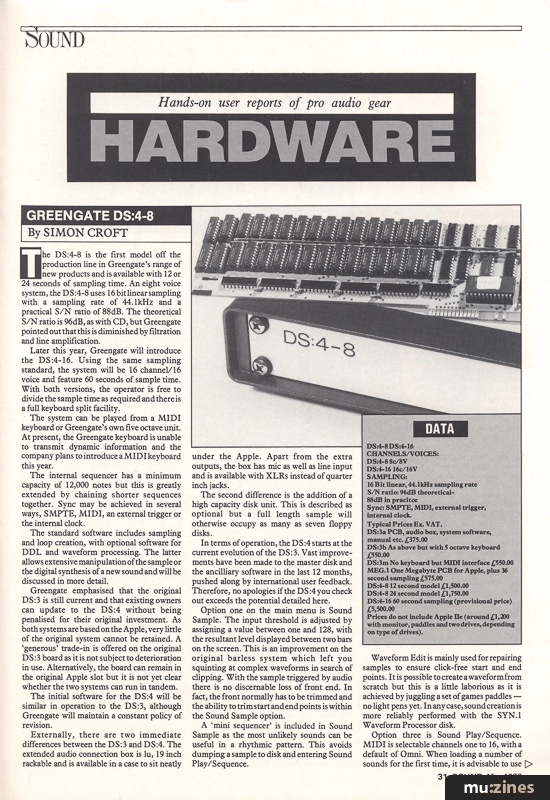
The DS:4-8 is the first model off the production line in Greengate's range of new products and is available with 12 or 24 seconds of sampling time. An eight voice system, the DS:4-8 uses 16 bit linear sampling with a sampling rate of 44.1kHz and a practical S/N ratio of 88dB. The theoretical S/N ratio is 96dB, as with CD, but Greengate pointed out that this is diminished by filtration and line amplification.
Later this year, Greengate will introduce the DS:4-16. Using the same sampling standard, the system will be 16 channel/16 voice and feature 60 seconds of sample time. With both versions, the operator is free to divide the sample time as required and there is a full keyboard split facility.
The system can be played from a MIDI keyboard or Greengate's own five octave unit. At present, the Greengate keyboard is unable to transmit dynamic information and the company plans to introduce a MIDI keyboard this year.
The internal sequencer has a minimum capacity of 12,000 notes but this is greatly extended by chaining shorter sequences together. Sync may be achieved in several ways, SMPTE, MIDI, an external trigger or the internal clock.
The standard software includes sampling and loop creation, with optional software for DDL and waveform processing. The latter allows extensive manipulation of the sample or the digital synthesis of a new sound and will be discussed in more detail.
Greengate emphasised that the original DS:3 is still current and that existing owners can update to the DS:4 without being penalised for their original investment. As both systems are based on the Apple, very little of the original system cannot be retained. A 'generous' trade-in is offered on the original DS:3 board as it is not subject to deterioration in use. Alternatively, the board can remain in the original Apple slot but it is not yet clear whether the two systems can run in tandem.
The initial software for the DS:4 will be similar in operation to the DS:3, although Greengate will maintain a constant policy of revision.
Externally, there are two immediate differences between the DS:3 and DS:4. The extended audio connection box is 1u, 19 inch rackable and is available in a case to sit neatly under the Apple. Apart from the extra outputs, the box has mic as well as line input and is available with XLRs instead of quarter inch jacks.
The second difference is the addition of a high capacity disk unit. This is described as optional but a full length sample will otherwise occupy as many as seven floppy disks.
In terms of operation, the DS:4 starts at the current evolution of the DS:3. Vast improvements have been made to the master disk and the ancilliary software in the last 12 months, pushed along by international user feedback. Therefore, no apologies if the DS:4 you check out exceeds the potential detailed here.
Option one on the main menu is Sound Sample. The input threshold is adjusted by assigning a value between one and 128, with the resultant level displayed between two bars on the screen. This is an improvement on the original barless system which left you squinting at complex waveforms in search of clipping. With the sample triggered by audio there is no discernable loss of front end. In fact, the front normally has to be trimmed and the ability to trim start and end points is within the Sound Sample option.
A 'mini sequencer' is included in Sound Sample as the most unlikely sounds can be useful in a rhythmic pattern. This avoids dumping a sample to disk and entering Sound Play/Sequence.
Waveform Edit is mainly used for repairing samples to ensure click-free start and end points. It is possible to create a waveform from scratch but this is a little laborious as it is achieved by juggling a set of games paddles — no light pens yet. In any case, sound creation is more reliably performed with the SYN.1 Waveform Processor disk.
Option three is Sound Play/Sequence. MIDI is selectable channels one to 16, with a default of Omni. When loading a number of sounds for the first time, it is advisable to use size checking as this confirms that the sounds selected will actually fit and indicates the number of bytes left for use. Should this be a known factor, the option is best avoided as it doubles the loading time.
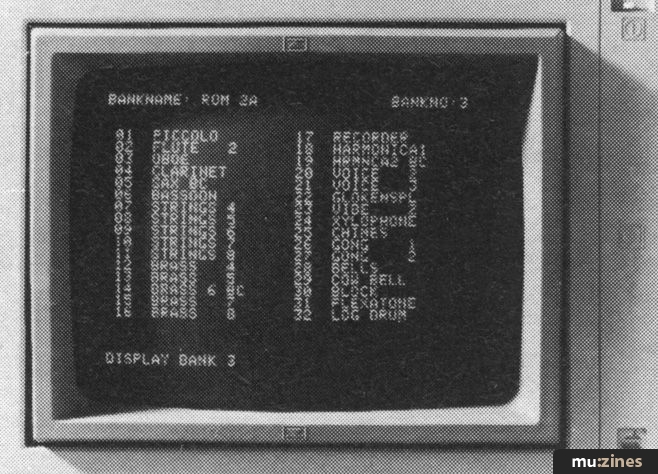
Display bank 3 shows stored sounds
Kit Files and Split Files are created in five Keyboard Setup, before loading into the sequencer. The only difficulty with storing large numbers of these files is remembering the exact configuration from the name.
Kit Files assign sounds to the Apple keyboard, with pitch and dynamic values. By contrast, Split Files are used with the piano type of keyboard. Split points and the octave in which each range operates, can be stored. A given section can also be assigned a higher dynamic value in the upper register, adding a touch of realism to instruments such as flute.
Setup Files describe a group of sounds and eliminate the need to name each sample.
The sequencer works on an events basis and the metronome can be set to click anywhere between 1/1 and 1/48 events. Due to a very wide range of clock rates, programming can range from real time to virtually step time.
Alternatively, tempo may be determined by external clock or MIDI, with the ability to define a divide number. It is possible to sync to tape by recording the internal clock from Tape out and returning it to Tape in, although this will not offer the 'instant rewind' capabilities of SMPTE.
Note duration can be controlled by playing style or switched off, so that every sample plays to full length. Two types of sustain are available. Normally, notes will sustain for the full duration but a second option sustains only until another note is played and allows for clean monophonic lines.
Building a complete song can be done very quickly. Merge and chain facilities reduce the amount of input information required to a minimum and this is further aided by a new transpose function.
Sequences can be modified in the Sequence Develop section. Pitch, event locations and dynamic values are displayed on the screen for editing. When the sequence has been played on the Greengate keyboard, all notes have the maximum value of 127. Pitch is identified by a two digit key number.
Song files are used to collate all the sequence information for one song and these can be further combined into Performance Files. These have been improved over the early DS:3 software as songs used to appear in a set order in Performance Files but may now be accessed at random.
Loop Create uses a display of the start and end point of the loop with a 'difference between' display. Should the audio and visual indication prove insufficient to find a glitch free loop point, the computer can assist. Depending on the accuracy required a value of one to nine can be selected for the automatic loop point finder. 3D waveform displays are also provided with a selectable resolution of one to nine. As the format of the Loop Create does not lend itself to default values, there is a Help page.
When Greengate introduced the DS:3, over a year ago, it promised regular software updates and a policy of not making the hardware obsolete. They have kept their promise. The DS:3 is a far more usable system than it was a year ago and existing owners need only buy a few floppy disks to bring the system up to date.
The basic recording quality of the DS:4 is exemplary. As the ultimate consumer medium is presently CD, there would be little to gain in uprating this area of performance.
There are ways in which the DS:4 could be improved and these changes will probably be put into practice over a period of time.
At present, connecting a MIDI keyboard to the Greengate will give control over dynamics. Unfortunately, it won't give pitch bend or modulation. There is also no way of triggering a second sample with a harder keystrike, which would lend greater realism to piano sounds.
Like all sampling systems the Greengate has its strong points and its pitfalls. Of course it won't meet every user's exact requirements but it deserves serious consideration for any studio thinking of investing in one of the numerous, top quality samplers now on the market.
OPTIONAL SOFTWARE
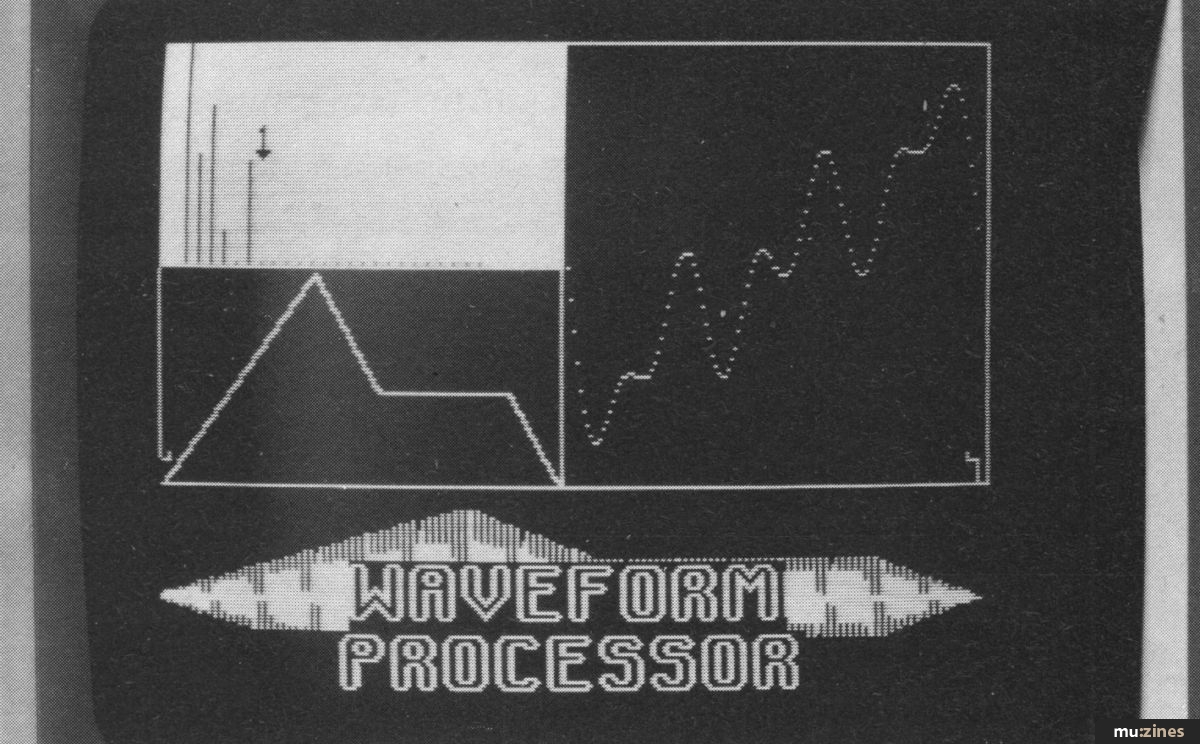
The Waveform Processor allows synthesis of new sounds and the modification of existing samples
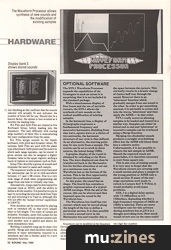
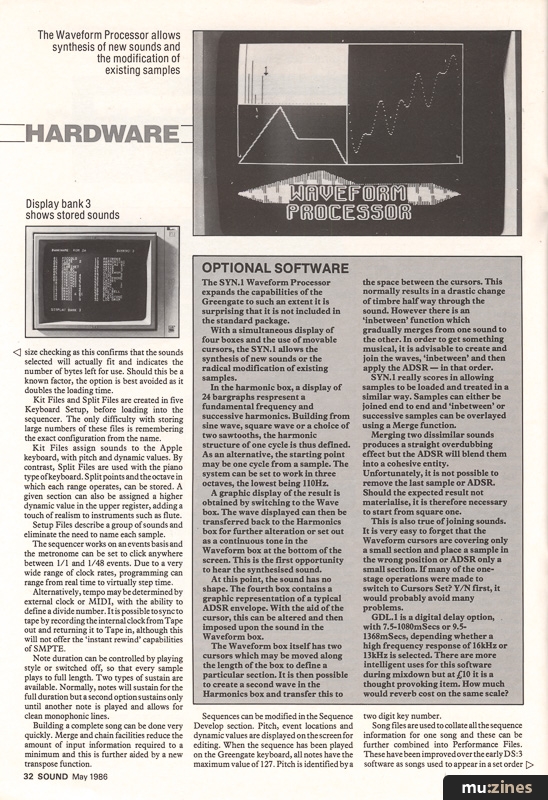
The SYN.1 Waveform Processor expands the capabilities of the Greengate to such an extent it is surprising that it is not included in the standard package.
With a simultaneous display of four boxes and the use of movable cursors, the SYN.1 allows the synthesis of new sounds or the radical modification of existing samples.
In the harmonic box, a display of 24 bargraphs represent a fundamental frequency and successive harmonics. Building from sine wave, square wave or a choice of two sawtooths, the harmonic structure of one cycle is thus defined. As an alternative, the starting point may be one cycle from a sample. The system can be set to work in three octaves, the lowest being 110Hz.
A graphic display of the result is obtained by switching to the Wave box. The wave displayed can then be transferred back to the Harmonics box for further alteration or set out as a continuous tone in the Waveform box at the bottom of the screen. This is the first opportunity to hear the synthesised sound.
At this point, the sound has no shape. The fourth box contains a graphic representation of a typical ADSR envelope. With the aid of the cursor, this can be altered and then imposed upon the sound in the Waveform box.
The Waveform box itself has two cursors which may be moved along the length of the box to define a particular section. It is then possible to create a second wave in the Harmonics box and transfer this to the space between the cursors. This normally results in a drastic change of timbre half way through the sound. However there is an 'inbetween' function which gradually merges from one sound to the other. In order to get something musical, it is advisable to create and join the waves, 'inbetween' and then apply the ADSR — in that order.
SYN.1 really scores in allowing samples to be loaded and treated in a similar way. Samples can either be joined end to end and 'inbetween' or successive samples can be overlayed using a Merge function.
Merging two dissimilar sounds produces a straight overdubbing effect but the ADSR will blend them into a cohesive entity. Unfortunately, it is not possible to remove the last sample or ADSR. Should the expected result not materialise, it is therefore necessary to start from square one.
This is also true of joining sounds. It is very easy to forget that the Waveform cursors are covering only a small section and place a sample in the wrong position or ADSR only a small section. If many of the one-stage operations were made to switch to Cursors Set? Y/N first, it would probably avoid many problems.
GDL.1 is a digital delay option, with 7.5-1080mSecs or 9.5-1368mSecs, depending whether a high frequency response of 16kHz or 13kHz is selected. There are more intelligent uses for this software during mixdown but at £10 it is a thought provoking item. How much would reverb cost on the same scale?
DATA
CHANNELS/VOICES:
DS:4-8 8c/8V
D8.4-16 16c/16V
SAMPLING:
16 Bit linear, 44.1kHz sampling rate
S/N ratio: 96dB theoretical - 88 dB in practice
Sync: SMPTE, MIDI, external trigger, internal clock.
Typical Prices Ex. VAT.
DS:3a PCB, audio box, system software, manual etc. £375.00
DS:3b As above but with 5 octave keyboard £550.00
DS:3m No keyboard but MIDI interface £550.00
MEG.1 One Megabyte PCB for Apple, plus 36 second sampling £575.00
DS:4-8 12 second model £1,500.00
DS:4-8 24 second model £1,750.00
DS:4-16 60 second sampling (provisional price) £5,500.00
Prices do not include Apple IIe (around £1,200 with monitor, paddles and two drives, depending on type of drives).
OTHER PRODUCTS
There is also an EPROM blower available that can be used for drum machines including Linn, Sequential, Oberheim and Simmons. That could represent a fairly rapid return at £125.
MEG.1 is a one megabyte extension PCB for Apple computers. Used with the DS:3 in conjunction with the special software, it will render a sample time of 36 seconds. With the standard disk drives, this will fill about seven floppy disks. On the other hand, this does mean that seven disks full of samples can be loaded before starting work. A mono device, its main use is probably for spin-ins.
Featuring related gear

Behind the Greengate - Greengate DS3
(ES Dec 84)

Greengate
(12T Sep 86)

Greengate DS3 Sampler
(IT Jun 85)

Greengate DS3 Sampling System
(12T Nov 84)


Browse category: Sampler > Greengate
Publisher: Sound Engineer and Producer - Media Week Ltd.
The current copyright owner/s of this content may differ from the originally published copyright notice.
More details on copyright ownership...

Sound Engineer and Producer - May 1986
Review by Simon Croft
Ads for Gear in this article:

Help Support The Things You Love
mu:zines is the result of thousands of hours of effort, and will require many thousands more going forward to reach our goals of getting all this content online.
If you value this resource, you can support this project - it really helps!
Donations for July 2026
Issues donated this month: 0
New issues that have been donated or scanned for us this month.
Funds donated this month: £0.00
All donations and support are gratefully appreciated - thank you.
Magazines Needed - Can You Help?
Do you have any of these magazine issues?
If so, and you can donate, lend or scan them to help complete our archive, please get in touch via the Contribute page - thanks!
If you're enjoying the site, please consider supporting me to help build this archive...
...with a one time Donation, or a recurring Donation of just £2 a month. It really helps - thank you!

 @mu_zines
 RSS Feed
 Blog
Blog