


Magazine Archive
Home -> Magazines -> Issues -> Articles in this issue -> View
Kawai R-100 Digital Drum Machine | |
RhythmcheckArticle from International Musician & Recording World, November 1986 | |
A first entry into the market, and this high-spec, dynamic, tuneable machine could be a real threat to the established names. Tony Reed takes stock

Fate can play cruel tricks. Take Kawai's first entry into the drum machine market. Any other time, this high-spec, 'affordable' pro machine would've been greeted with enthusiasm. Unfortunately for Kawai, though, they chose to launch the R-100 at the same time Korg unleashed their all-singing, all-dancing DDD-1 onto the world (reviewed last issue). Result? No kudos for Kawai. Justifiably, or not? Let's find out...
Front Panel
First appearances are good — clean lines, chamfered edges, a slightly sloping profile, the unit is constructed from gunmetal-toned plastic. Lacking a tape measure and a pair of scales, I'm not sure of its vital statistics but an internal power supply and solid construction give it a reassuring heaviness, and size-wise it clocks in a little larger than Roland's 707, a little smaller than the DDD-1.
Below left of the logo is the cartridge slot. (Cartridges, memory capacity unknown, will cost £35 each.) To the right of the slot, a black perspex strip houses the 32-character (unbacklit!) LCD window, and the two unhi-tech knobs for Metronome and Stereo Mix output volumes.
Beneath this, a matrix allowing all 36 programming 'jobs' to be accessed via the small grey calculator-style Group Select and Multi buttons on the left of the unit, together with eight multi-function strip buttons below the parameter chart. Group select (the current one of four horizontal job lines it can access indicated by LED) handles the usual program tasks. Bar, pattern or 'Chain' (song), Pattern Play, Realtime or Steptime Record, (a basic but better implementation than on the DDD-1), Error Correct (¼ to 1/196th resolution), Bar length (1-99 beats), Time Signature and so on can all be called up here, with a corresponding message appearing in the LCD window.
Bar and pattern numbers are called up from the adjacent keypad. Here too you will find > and < buttons for shifting Tempo (Range: 40-250), an associated Tempo display button, and a Tap Tempo button which doubles as a 'Yes/No' for those crucial little decisions ie Do you really want to delete this entire song? The machine rather dryly expresses such dilemmas via the LCD window thusly:
'PTN 01
ERASE READY
PTN 01
ERASE EXECUTED'
Very final, that. Executed...
So far, so standard. Incidentally, nice to see the Erase button itself placed out of harm's way down on the bottom left corner of the machine, where it also doubles as a straight/triplet time selector for step time recording.
On the next multi-function button called, oddly enough, Multi, we begin to depart from the standard. This too can cycle through four 'jobs', but this time we have just the eight numbered multi function buttons, to match up, corresponding directly to the large voice buttons beneath them. The 'jobs' available from Multi are: Instrument Level, Sensitivity (yes, the R-100, like the Korg DDD-1, is a dynamic drum machine — hit the pads harder, and they sound louder), Tune — yeah! — and Pan: each instrument can be placed in any one of 16 positions in the stereo field. Yowsah! All of a sudden, the R-100 is looking a lot more than yer average beat box.
Selecting any of these options effectively converts the strip switches into faders (press the top half of each to increase, the bottom half to decrease) and the LCD display into a bargraph. The current bank of eight voices drawn from the machine's complement of 24 has each instrument individually identified (ie B1 = Bassdrum 1). Next to each voice, a bar-graph block divided into sections indicates current level settings for the voice parameters. You can then increase or decrease each instrument's output level, sensitivity, tuning, and pan as you wish. The final, three-position multi-button, voice select, simply chooses which of the three banks of voices you are currently working on.

Line outs are assignable, within limits
Rear Panel
Pretty well served here — right of the tethered mains lead and On/Off switch are MIDI In, Out and Thru sockets, and, joy of joys, a Sync socket, which can be switched to send 24, 48, or 96 ppqn sync information. (Roland, Korg or Linn.) Something which, for its sins, the DDD-1 hasn't got. Beneath that, you've a socket for 'phones, and R and L/Mono jack outs for the stereo mix signal. Adjacent to them there's Tape Sync In and Out, Tape Dump (handy if you can't afford cartridges), Click Out (another nice touch, taken from the metronome which has its own quantise independent from the ones used on the patterns), and Trig Out, which you can assign to any one instrument. A plus for those of you into 'playing' drum machines over MIDI is a damper footswitch for the hi hat, allowing you to simulate the effect of pedalling the real thing.
Beneath this row you'll also find eight 'assignable' line outs for individual treatment of voices. That 'assignable' is a bit misleading though. It doesn't mean you can route any voice to any socket a lá DDD-1, simply that at any one time, only one of the three voices which share every Voice button can be taken out separately for treatment. A bit limiting, particularly in view of the fact that you might well want different treatments on, say, a cowbell and a tom which share the same button. Still, all voices can simultaneously be routed to the mix out. Talking of voices...
Voices
At 24 high quality (32kHz, 12-bit) sampled voices the R-100 is strictly ahead of the DDD-1 on on-board sounds. But of course there is no facility on the R-100 for extending that other than by tuning. (At present, it seems unlikely that even internal upgrades will be possible). The DDD-1 meanwhile offers unlimited extension via plug-in ROM cards, and optional sampling. Bearing this in mind, it's doubly important that you like what you have on the R-100. Let's face it, you're stuck with them...
You get three snares — a cracky, 'loose head' sound, plenty of bottom; a huge, Gated snare — great idea, that — and a wooden-sounding Cross-stick. Take the Gated snare tuning down and watch your windows rattle. Three Bass drums — again, a straight, hard sound, more punch than click, a Gated sound (brilliant!) and a totally naff bonk which might just be a bass drum with too many blankets stuffed in it. Still, that gated bass and snare combination is a killer. The three Toms, separately sampled, are the best on-board voices I've yet heard on any machine. It's a matter of taste of course, but I love their open roundness of tone, and their power... From the sublime to the ridiculous — Open and Closed Hi hat (a decent, real sound by the way) share the same voice button! Forget 'playing in' a tricky sequence unless you have the optional hi-hat foot pedal. It takes up to two keystrokes on the Instrument Select Button to switch between them. Criminally stupid! Moving on quickly: two Crash cymbals, one convincingly dark and explosive, great pitch-shifted down a notch, and two, uniquely, the same cymbal hand-damped. Good for realism. Also fairly unusual, a China. Handy for a multitude of tuned effects. Two Rides, (no shortage of cymbals) one quite mellow, 'jazzy', two clangorous in a Rude sort of way — I liked it. Cowbell — good, but could be 'deader'. Claps, better than Korg's, worse than Roland's, but tuning gives you a lot of control over the 'spread'; Shaker — yes it is. Agogo: too 'musical' used straight, but actually effective playing tuned sequencer-style riffs. Conga; sounds like a class sample, but not the real thing — dynamics help. Tambourine — excellent doubling the snare. Timbale — bit of a metallic buzz on it. Claves — not woody enough. Sounds like you're banging a couple of chime bars together.
Or to put it another way — some excellent kit sounds, a little weak on the percussion side, but still a more consistent and useable range than most of the competition can manage.
MIDI
Everything you could want, In or Out, beautifully obvious on the LCD. Send or Receive Velocity and Volume, Note Number, Key On/Off (stops, say, attached samplers being retriggered too soon by the very short MIDI drum triggers), Program Select, Song Position Pointers (for 'smart syncing'), MIDI data-dump to micros or disk drives... All in Omni, Poly or Mono modes. Wonderful.

Another unique Oriental feature; electric shock risk
In Use
There are some very interesting features in here, like Timing Adjust, which allows you to offset the crotchet equals 24 time base by +/-9, to compensate for timing innaccuracies on synchronised devices; or Reframe, which allows after-the-fact re-quantising of any or all instrument lines. (So if a piece of over-zealous error correction has taken the feel out of your hi hat, you can put it back without screwing up your separately-quantised 'feel' snare.) Nice to see you can 'Swing' your patterns in fractions of the beat or percentages; and name all your songs alpha-numerically.
There's Repeat mode too — hold down Repeat, and an instrument button — Presto — the bar fills up with beats on that instrument at whatever resolution currently selected. Use 1/96ths on the snare, and you've got an auto-roll, 1/4ths on the bass drum, a steady 4/4... How about Punch In? Specify a Start Bar and a Stop Bar anywhere in a Chain, set it running, and you automatically drop into and out of record at the appropriate moment. Or Dub, which allows you to overdub an instrument (only one at a time, I'm afraid) onto a previously recorded track?
Maybe it was the fact I had less than an hour with the machine, but I just seemed to spend too much time pressing buttons to get from A to B. This isn't an immediate machine. It has a problem too — pricewise, it's in competition with Yamaha's RX11, Roland's TR707... Yesterday's machines, really. With its dynamics and tuning, it blows them away. It's also over £200 cheaper than the DDD-1 — and that's the basic version sans sampling. But, fair or not, that's the machine it'll be compared to, not the Rolands and Yamahas, and it is nowhere near as good on 'user-friendliness', programming aids, and expandability as the DDD-1.
If you're on a tight budget, then check out the Kawai. It has great sounds and a lot of flexibility for the money. A terrific first entry into the market, in fact. It's just a shame it came out the same time as the Korg...
Kawai R-100 Digital Drum Machine - RRP: £595
Thanks to Future Music, Kentish Town for their help with this review.
Also featuring gear in this article


Kawai R100 drum machine
(MM May 87)

Kawai R100 Drum Machine
(SOS Jun 87)
Browse category: Drum Machine > Kawai
Featuring related gear
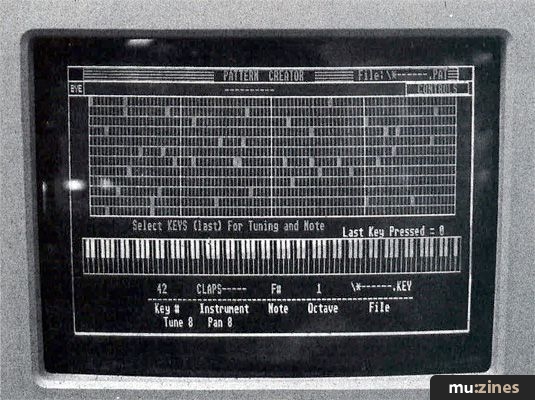
Compu-Mates R100 DrumDroid
(MT Feb 88)

Kawai R50 - Digital Drum Machine
(MM Sep 87)

Kawai R50 - Digital Drum Machine
(MT Sep 87)

Kawai R50 Drum Machine
(MT Jun 87)

Kawai R50 Drum Machine
(SOS Sep 87)
Browse category: Software: Editor/Librarian > Compu-Mates
Browse category: Drum Machine > Kawai
Publisher: International Musician & Recording World - Cover Publications Ltd, Northern & Shell Ltd.
The current copyright owner/s of this content may differ from the originally published copyright notice.
More details on copyright ownership...

International Musician - Nov 1986
Donated & scanned by: Mike Gorman
Review by Tony Reed
Ads for Gear in this article:

Help Support The Things You Love
mu:zines is the result of thousands of hours of effort, and will require many thousands more going forward to reach our goals of getting all this content online.
If you value this resource, you can support this project - it really helps!
Donations for July 2026
Issues donated this month: 0
New issues that have been donated or scanned for us this month.
Funds donated this month: £0.00
All donations and support are gratefully appreciated - thank you.
Magazines Needed - Can You Help?
Do you have any of these magazine issues?
If so, and you can donate, lend or scan them to help complete our archive, please get in touch via the Contribute page - thanks!
Please Contribute to mu:zines by supplying magazines, scanning or donating funds. Thanks!
Monetary donations go towards site running costs, and the occasional coffee for me if there's anything left over!

 @mu_zines
 RSS Feed
 Blog
Blog