


Magazine Archive
Home -> Magazines -> Issues -> Articles in this issue -> View
Some Like It Hard | |
Akai S1100 Version 2.0Article from Sound On Sound, July 1992 | |
As if by magic, your S1100 can become a hard disk recorder, courtesy of Akai's latest upgrade. David Mellor leads his favourite sampler along the upgrade path.
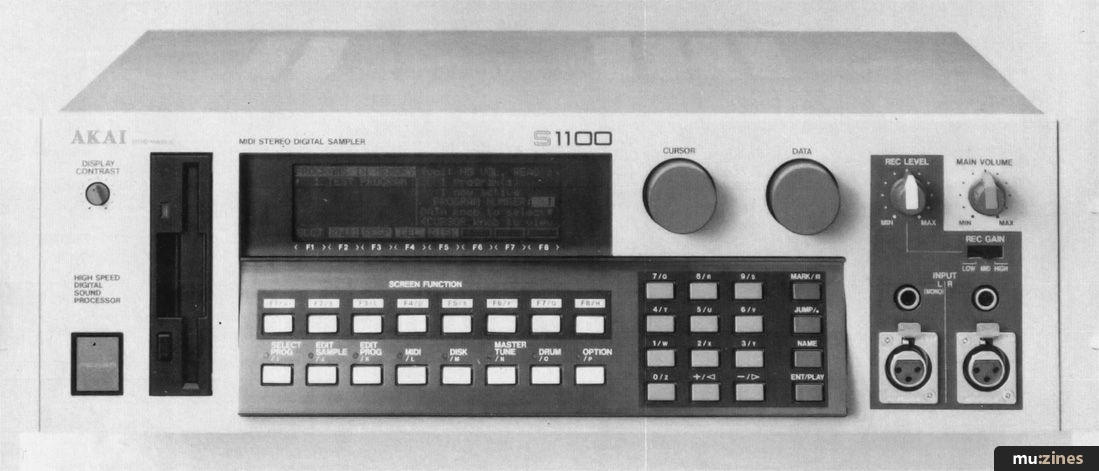
The latest soft and hardware upgrade to Akai's top-of-the-range sampler, version 2.00 for the S1100, turns it into a direct-to-disk (ie. hard disk) recorder. To get straight to the point: does it provide all you need in a hard disk recorder at a bargain price?
The answer to the above question is, "Well, yes and no". As we all know, the hard disk, and its close relation, the magneto-optical disc, are going to become very very popular over the next couple of years. Right now there are several very expensive hard disk recording systems, but only a small number at what one might call an affordable price. Digidesign's Sound Tools (now available in updated form as Sound Tools II) and its big brother Pro Tools represent the bottom end of the hard disk market if you're looking for a system which will do most of the things you would want a serious stereo hard disk recorder to do. But Sound Tools is still relatively costly after you have budgeted for the necessary Apple Macintosh II computer, and if your studio is still at a developing stage, working on the margins of profitability, you might be tempted to look at, say, Plasmec's ADAS system.
While ADAS can indeed record onto hard disk and give reasonable value for money, its editing functions are rather limited. Soon we shall see other systems competing with Sound Tools in the hard disk arena, and you may wish to wait and see what they have to offer. If you happen to be an S1100 owner and use a hard disk for sample storage, then you now have a way of getting into hard disk recording, at a fairly basic level, relatively cheaply — in fact, very cheaply — while you wait to decide among the upcoming full-function hard disk editors.
HARD DISK FUNCTIONS
You're probably aware of some of the developments in serious hard disk recorder/editors such as the AMS AudioFile and DAR SoundStation. These are expensive multitrack machines whose main application is in adding sound to picture, although they can be used equally effectively on smaller scale projects. Multitrack hard disk at the personal studio level isn't really a practical possibility yet, and it won't be for some time to come, I predict (come on you manufacturers — please prove me wrong!).
Hard disk won't replace multitrack recorders in the near future for two reasons: firstly, hard disk would be much more expensive track for track; and secondly, storing a project is nowhere near as cheap and simple as putting a reel of tape on a shelf. You need a back-up device, backing up takes time, the back-up media costs money, and so on. But even though hard disk recorders are not going to take over from multitrack just yet, they are still very useful for stereo work, and they also have applications in assisting the multitrack recording process. Let me explain.
Since we have all thrown away our reel-to-reel recorders (or at least hidden them in cupboards, and converted to DAT), we have become very good at mixing our multitrack recordings in one take, making sure the starts are nice and tidy, and that the ends fade neatly into silence after the last of the reverb dies away. Or have we? In the days when editing was a simple matter of slashing away at the tape with a rusty razor blade and sticking it back together with Sellotape, we wouldn't think twice about redoing a section that went wrong during the mix and chopping it in among all the other sections that we had spent hours getting absolutely right. But with DAT, which cannot be edited except with expensive pro equipment, we've had to forgo that flexibility in return for lower machine cost, lower tape cost, and higher sound quality. If, however, you have a hard disk recorder at your elbow during the mixing process, you get all the old reel-to-reel flexibility, and much more besides. What luxury!
During multitrack recording of 'real' instruments and vocals, there are many problems which could be ameliorated by using a hard disk recorder synced to tape. The classic one is spinning in repeated choruses, thereby saving a good deal of hard work. Another is correcting the timing of a line that took 40 takes just to get in tune. You can do this with a sampler, but a suitable hard disk system would make child's play of tasks such as compiling several vocal takes into one first rate composite vocal.
For all this, and also stereo editing applications, I have been longing for a suitable hard disk system to install in my personal studio. I don't have pots of cash to spend, and since I have an S1100, the new version 2.0 has to be very interesting. I suspect that quite a few of you are in a similar situation.
MODIFICATIONS
So far, updates to the S1100 operating system have been free. This one costs money. Unfortunately, updating fully to version 2.0 requires some new chips, although you can get the benefits of version 2.0 other than hard disk recording just by loading in the software from disk. I hope that Akai decide to release the version 2.0 software, without the hardware modification, free of charge, since otherwise S1100 owners who choose not to have the hard disk mod will feel they are being left out in the cold.
Apart from the modification, you'll need a suitable hard disk to record onto. Many S1100 owners will have a hard disk anyway, but remember that you will need approximately 10MB for every minute of stereo you want to record, so a 45Meg cartridge isn't going to go very far. Akai lent me one of their optical drives to try out with the new system, and I have to report that I was very pleased with its performance. With 300MB on each side of a disk, there is ample room for most of the stereo editing you are likely to do, and when one cartridge is full, you just slot in another one (and try not to think about the expense). The disk simply plugs into the SCSI port at the back, and then it acts as though it's an integral part of the S1100. Should you want to use the same disk for both sample/program storage and digital audio recording, you can partition a disk to do just that.
REAL WORK
There is no better way of testing a piece of equipment than to give it some real work to do. Since I knew that the new software was on the way, I had been saving up some projects for it to handle. I embarked on these with one hand on the controls and the other clutching the version 2.0 manual (which is almost as thick as the S1100 manual itself). I found both good and points along the way.
My first project was to tidy up a recording of a recital by a South American guitar duo. The recital, as these recitals usually are, was full of pauses, tuning, quiet comments from one guitarist to the other — which were acceptable in the context of performance, but unacceptable on a recording. What I had to do was give every item a clean start, and fade the applause afterwards. The first thing I did was connect the DAT machine to the digital input of my S1100's IB104 card. This isn't essential, as you can record quite happily from the front panel analogue inputs, but of course I wanted maintain quality at as high a level as possible. Next I turned to the manual, in which I found this screen diagram:
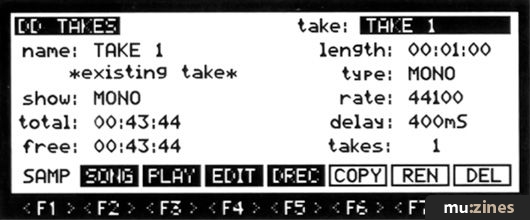
Getting there on the S1100 was a simple matter of pressing the Edit Sample page and then the 'DD' softkey. This screen gives you information about 'Takes', as each recording is called, and access to the disk recording and song sequencing functions. I needed to press 'DREC' to further my cause, and this is where it took me:
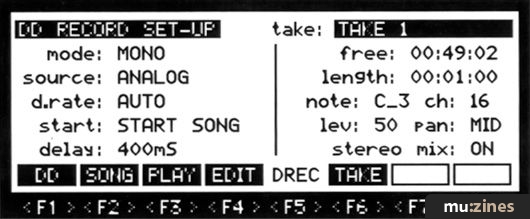
Here, I was able to tell the S1100 that I wanted a stereo recording from the digital input (not what it suggested at first), and that I wanted it to set the sampling rate (d.rate) automatically. Recording can be triggered manually, or by input level, footswitch, MIDI note, or MIDI Song Start. There is also a 'MIDI note + delay' mode which can be used to make a sequencer-triggered recording and have it play back at exactly the same point in the sequence. I can certainly see the usefulness of this if you are using the S1100 to add, say, a live guitar track to sequenced MIDI tracks. Just place a note in the sequence where you want the S1100 to start recording, and once you have the recording it will automatically play back on cue.
The right hand side of the screen shows you how much recording time there is left on the disk; beneath this area you can set the duration of the recording. It puzzles me that so many hard disk recording systems at some point in their development require the user to specify a recording duration, before the designers realise that it's an irritation, and change the software. It is always the case that the recording should last simply until the source material finishes, and the machine should only have to be told when to start. In fact, you can set a record duration as long as you like, and stop the recording when it reaches its end, but why add this extra complication? The rest of the information on this screen is useful, but not exactly exciting, so I'll move on to the next step.
THE TAKE
If you know how to sample with the S1100, then you know how to record onto the hard disk. And once you have initiated recording, this is what you will see:

This is all very familiar, with the meter bar on the left, and the waveform display. The only difference is that instead of going on for a minute on a 10MB S1100, it goes on for over 30 minutes with an optical disk. There are absolutely no problems with this. When you've finished recording, it's time to edit the take. Going back to my recital project, since I was intent on chopping out chunks of unwanted material, I reckoned that the best way to do it would be to record 30 minutes of material onto the hard disk and edit out the gaps. I reckoned wrong.
Anyone who has worked to any extent with a hard disk recorder/editor will know that one of their most powerful tricks is being able to chop up a piece of music into segments and then rearrange those segments the way you want them, experimenting as you go. It's a bit of a downer to find that on the S1100 v2.0 you have to record each segment as a separate take. What's more, one of the outstandingly beautiful features of working the hard disk way — usually — is that any edits you make are simply pointers back to a segment of audio on disk. You can have several segments, all of which are simply held as edit decisions on a single piece of audio which always remains unchanged on the disk. Not so on the S1100 v2.0. Here, one take is one take. If you want two segments, one of which comprises bars 1-16 of a song, the other comprising bars 9-16, you'll have to record the audio twice, even though part of it is repeated exactly. Black mark to Akai for either not realising what hard disk recording should be all about, or for rationing the features so that their upcoming hard disk product will have a better-defined market niche. (Of course, Akai may be working on this right now as a future software update. Please, please, please!)
Well, I couldn't record in a big chunk and cut it up, so I had to settle down to recording take by take. This I did, and I was able to top and tail the takes in this screen:

This works pretty well for simple work. You can play through the audio from a start time that you set in the top left corner. When you stop, a marker will show the place where you stopped, so that you can move either the start or end marker as necessary. The zoom softkeys enable you to see more detail, or more of the whole thing. 'SoE' toggles between the start and the end of the take. 'Cut' permanently removes the sections before the start and after the end markers. I placed my start markers just before the music started, of course, and the end marker at the point where I wanted the applause to fade out completely. Fading is accomplished in the next part of the process.
ASSEMBLING A SONG
A song? Surely the 30 minute song died out in the early '70s? But since 'cue list' has already been taken by one of the S1100's other functions, and 'play list' sounds so similar, maybe 'song' is a good enough term for a list of takes which plays sequentially without gaps. This is the screen:

Unfortunately, this diagram from the manual doesn't list any takes, but I'm sure you can imagine the simple list of take names which could be there. For my project, I simply inserted the items in the correct order and, at the end of each item, set a fade time of 9999ms. Then, when I went back to Song Play mode and pressed the Run softkey, the whole 30 minutes worth played through. I simply copied this via the analogue outputs on to another DAT tape, then repeated the whole procedure until my job was done. Actually, I did have to do one more thing — record a silent take, which I called 'Gap', to separate the items; a simple procedure.
You may be asking yourself "Why did he copy to DAT through the analogue outputs? Why not use the S1100's main digital output or the digital output of the IB104?". Unfortunately, I have it from Akai that it wasn't physically possible to provide this feature on the S1100, so analogue it has to be. The sound quality is pretty good nonetheless.
USE WITH MULTITRACK
The other job that I had been postponing while I waited to borrow a hard disk recorder was fixing a couple of finished mixes which were both very good, and achieved only with much sweat and toil, but in each case there was one instrument that really should have been louder. I recorded the offending tracks from the DAT master onto the disk, and also loaded up the original tape on the multitrack. Then I went to the S1100's Utility page and set up a cue list — yes, this can be done using hard disk takes as well as samples. The list in each case was very short; just one item, for which I set a SMPTE start point.
After a bit of fiddling around, I was able to play the multitrack tape, with only the offending track coming through the mixer, and sync up the mixed track, which was now on the disk. It was very easy to add a little extra level, although I had to be careful with phasing. There is a 'fine tune' function for adjusting the playback speed of the take very accurately so that any discrepancies in speed are ironed out, and I was very pleased with the end result.
Of course, not everything about hard disk recording on the S1100 is perfect. The main problem for me is that there is no way of crossfading — but this is strictly a 2-channel replay system, after all, and I didn't expect it to be anything else. The other problem is that Akai don't seem to have realised that when you play a series of takes in Song mode, what you will want to listen to most are the joins between each take. Editing is a fiddly business, and it needs to be made as simple as possible. Here, you have to play each take from the start, and who wants to wait five minutes to hear an edit point? I found myself temporarily changing the start points to get around this problem, but this shouldn't really be necessary.
The other function of the revamped S1100 that I have already mentioned, and it is certainly a major function, is to play back hard disk audio files in time with a MIDI sequence, triggered by MIDI notes. This is good stuff, but better still, the S1100 will play back samples at the same time, with its polyphony unaffected. With a fully-expanded S1100, you could have access to over three minutes of stereo samples, plus as much as 50 minutes of audio (from the largest hard disk the system can handle).
A SIGNIFICANT UPGRADE?
Yes, this is a major upgrade, and if you have a hard disk already you will most probably want it. As a hard disk recording system, it doesn't do everything you would find yourself wanting, but I feel that in the course of everyday studio events you'll find yourself turning again and again to the problem-solving and creative capabilities of the S1100 v2.0.
Further information
Akai S1100 V2.0 update £350 inc VAT.
Akai UK, (Contact Details).
Also featuring gear in this article

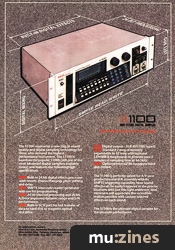
Akai S1100 - 16-Bit Stereo Sampler
(SOS Dec 90)

Akai S1100 - Digital Stereo Sampler
(MT May 91)
Browse category: Sampler > Akai
Featuring related gear

Akai S1000 - Sampler
(MT Oct 88)
Akai S1000 - Digital Sampler
(MT Dec 88)
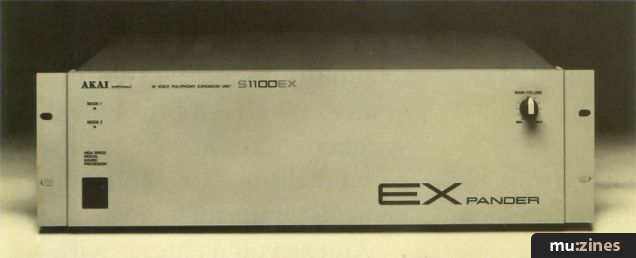
Akai S1100EX - S1100 Expansion Unit
(SOS Sep 92)

Hands On: Akai S1000 Sampler
(SOS Feb 92)
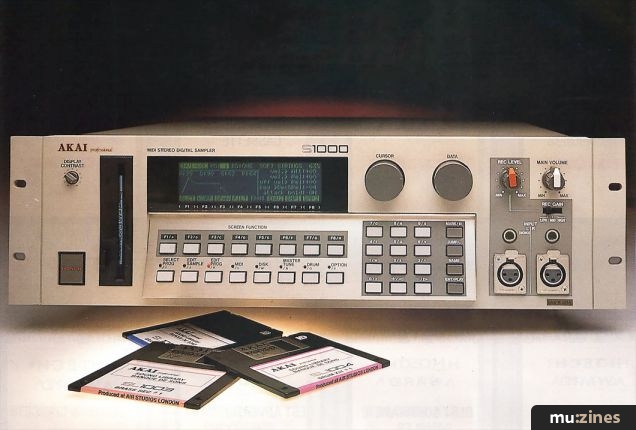

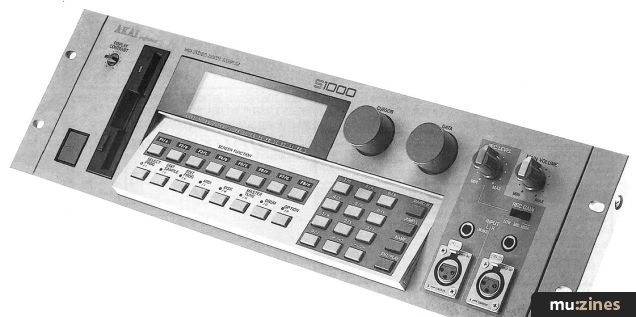

The New Standard? - Akai S1000
(SOS Nov 88)
Browse category: Sampler > Akai
Browse category: Sampler (Playback Only) > Akai
Publisher: Sound On Sound - SOS Publications Ltd.
The contents of this magazine are re-published here with the kind permission of SOS Publications Ltd.
The current copyright owner/s of this content may differ from the originally published copyright notice.
More details on copyright ownership...

Sound On Sound - Jul 1992
Review by David Mellor
Ads for Gear in this article:
Help Support The Things You Love
mu:zines is the result of thousands of hours of effort, and will require many thousands more going forward to reach our goals of getting all this content online.
If you value this resource, you can support this project - it really helps!
Donations for July 2026
Issues donated this month: 0
New issues that have been donated or scanned for us this month.
Funds donated this month: £0.00
All donations and support are gratefully appreciated - thank you.
Magazines Needed - Can You Help?
Do you have any of these magazine issues?
If so, and you can donate, lend or scan them to help complete our archive, please get in touch via the Contribute page - thanks!
Please Contribute to mu:zines by supplying magazines, scanning or donating funds. Thanks!
Monetary donations go towards site running costs, and the occasional coffee for me if there's anything left over!

 @mu_zines
 RSS Feed
 Blog
Blog