


Magazine Archive
Home -> Magazines -> Issues -> Articles in this issue -> View
Bug-Byte Music Synth | |
Article from Electronic Soundmaker & Computer Music, April 1984 | |
Music software
Gary Herman puts a composing package for the BBC through its paces
Bug-Byte's 'BBC Music Synthesizer' is a good example of well-conceived software spoilt in the execution. Unfortunately, all the micro-music software I've so far come across suffers from this 'ha'porth of tar' syndrome. The main problem is that off-the-shelf software is aimed at a broad-based general market — the same sort of people who lap up arcade-type games. As a result, the software sacrifices high standards of implementation for a wide range of features. Rather than focus on one aspect of music synthesis and cover it, well, such software often covers a whole field of synthesis superficially.
There are two broad approaches. The first (represented by QuickSilva's 'MuProc' featured last month) turns your computer into a real-time keyboard instrument. The second (represented by the 'BBC Music Synthesizer') uses the computer as a composing instrument. The second approach is preferable — if only because a stand-alone computer does not make a very efficient musical instrument for real-time performance.
The 'BBC Music Synthesizer' — written by T. Hill — is quite definitely aimed at composition. It is a menu-driven program — which means that each function is chosen from a list of options put-up on screen — allowing you to create up to 16 different envelopes, write or edit up to three melody and one noise effects channels, arrange phrases using repetition and transposition and save pieces to tape or disc. The main menu asks you whether you want to Display, Edit, Play, Load or Save. Load and Save are straightforward. Display shows you a list of the envelopes you have created (using names you have given them rather than their parameters) and tells you how many notes there are in the sequence, how many notes in all are available and what the note duration is. You may change note duration using the Edit sub-menu — but all notes will have the same duration!
Calling Edit from the main menu asks you whether you want Envelope, Channel, All or Section. Envelope allows you to set or change the parameters for up to 16 envelopes. You can hear the sound you've made, look at a crude graph of the pitch and amplitude envelopes, name the envelope and hear its effect on noise or on tones of any pitch. Selecting Channel puts up a table for each of the BBC's four sound channels. You can enter notes (curiously, the octaves start with A-sharp and are numbered in alphabetical, not musical, sequence — so A3, for example, is the next note up from G2); enter silences (though not rests, since a silence often allows the previous note to continue playing); insert or delete notes (although this is difficult after you have completed a phrase since there is no way you can move the cursor without retyping notes from the beginning of the phrase); transpose a whole channel or part of it; repeat a section of a phrase; or delete a whole channel.
The repeat function shows the program's deficiencies. In order to repeat, you have to enter 'R' and a number during the channel editing phase. The command affects all four channels — which is crazy for serious compositional purposes. Then you have to define the repeating sections by returning to the Edit sub-menu and selecting the Section option. In order to hear the section you've defined, you have to return to the main menu and select the Play option followed by the Section option. It is all far too elaborate and far too inflexible. Typically, you can't listen to a single channel in isolation without deleting all other channels. Nor, does it seem, can you extract a section of music to display or edit which doesn't start with the very first note of your composition, although you can define a section as starting and ending at any admissible notes and then chain them together in any order and hear them. In order to make anything of this facility, it is absolutely necessary to keep written notes of your composition so far. It is no good going back to 'edit channel' and expecting any useful information to be displayed there. This can also be said of the Display option — which doesn't even tell you how many notes you have left to play with.
After you've run the 'BBC Music Synthesizer' and wondered how, with all the facilities it attempts to offer, anybody could actually use it to write music, you can turn to another program on Bug-Byte's tape: the 'Auto-Composer'. Ironically, this program is much more obviously a games-type program than the synthesizer, but is also much more useful.
'Auto-Composer' allows you to select a number of chords (or 'cords' as the program calls them) from all the major and minor chords available, give them a probability rating and select a tempo and a metre. The program then generates an endless improvisation on these chords with a 'snare' beat. A refinement allows you to add 'ragged timing' (using the program's quaintly named 'sincapation' facility). Inevitably, randomly generated music lacks the sparkle and movement of composed or humanly improvised music. However, the 'Auto-Composer' created some sequences that made acceptable program music (of the sort that might be used as a movie mood-setter). Careful choice of chords, tempo and metre might even come up with something usable as a rhythm track. Certainly, the ability to choose chords and 'weight' them gives a valuable insight into the regularities of composition. 'Auto-Composer' could make a valuable teaching (or learning) aid — with the one proviso that Bug-Byte should think of adding a facility for bringing a composition to a resolved end.
It's a real shame that the 'Music Synthesizer' has so many deficiencies. It's intent — to provide a combination of sequencing, arranging, editing and envelope generating facilities in one package — is wholly worthwhile. A bit more thought could have made such a program invaluable to musicians. As it is, it remains a curiosity: fascinating in theory, but impractical.
More with this topic
 PC Notes |
 Amiga Notes |
 Software Support - Hints, Tips & News From The World Of Music Software |
 Chip Parade (Part 1) |
Software Support - Hints, Tips & News From The World of Music Software |
 Sord M-5 |
 Mac Notes |
Basically BASIC (Part 1) |
 The Musical Micro - How To Save £54,800 |
 Enhancing Your Computer |
 Spectrum MIDI |
 Driving in the fast lane - Silica CD-ROMs |
Browse by Topic:
Computing
Publisher: Electronic Soundmaker & Computer Music - Cover Publications Ltd, Northern & Shell Ltd.
The current copyright owner/s of this content may differ from the originally published copyright notice.
More details on copyright ownership...
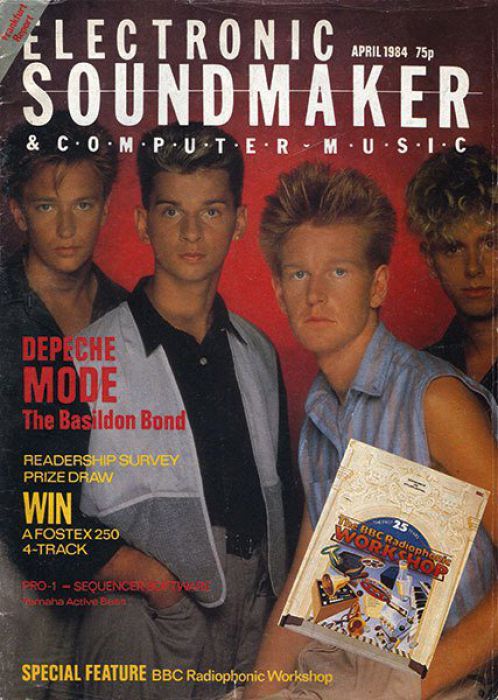
Electronic Soundmaker - Apr 1984
Donated & scanned by: Mike Gorman
Review by Gary Herman
Previous article in this issue:
Help Support The Things You Love
mu:zines is the result of thousands of hours of effort, and will require many thousands more going forward to reach our goals of getting all this content online.
If you value this resource, you can support this project - it really helps!
Donations for May 2026
Issues donated this month: 0
New issues that have been donated or scanned for us this month.
Funds donated this month: £0.00
All donations and support are gratefully appreciated - thank you.
Magazines Needed - Can You Help?
Do you have any of these magazine issues?
If so, and you can donate, lend or scan them to help complete our archive, please get in touch via the Contribute page - thanks!
Please Contribute to mu:zines by supplying magazines, scanning or donating funds. Thanks!
Monetary donations go towards site running costs, and the occasional coffee for me if there's anything left over!

 @mu_zines
 RSS Feed
 Blog
Blog