


Magazine Archive
Home -> Magazines -> Issues -> Articles in this issue -> View
Digigram MIDImic | |
Article from Music Technology, October 1988 | |
If you've ever wished you could sing a violin or hum a tune straight into your MIDI sequencer, this French "MIDI microphone" could be for you. Debbie Poyser sings something sampled.
If you're a singer looking for access to the world of MIDI or your ideas outstrip your playing abilities, using your voice as a MIDI controller could change your life.
JUST LATELY IT seems that almost anyone who can bang, pluck, blow or otherwise produce a sound from a musical instrument has been offered the opportunity to "MIDI it up" - to produce a host of weird and wonderful noises by using their instrument as a MIDI controller. Not so the vocalist who's not only interested in technology, but also knows MIDI isn't just a forgotten 70s skirt length. Instead they've been condemned to stand on the sidelines and watch. Watch the incredible slowness with which everyone else has been using technology to produce songs instead of just playing them, and having no way of understanding the problems by experiencing them first hand.
This may now be destined to change. From France, not a nation renowned for stunning vocalists but often noted for off-the-wall ideas (bidets, Chateauvallon...), comes the Digigram MIDIMic. You've guessed it: now you can sing a bagpipe.
Looking at it
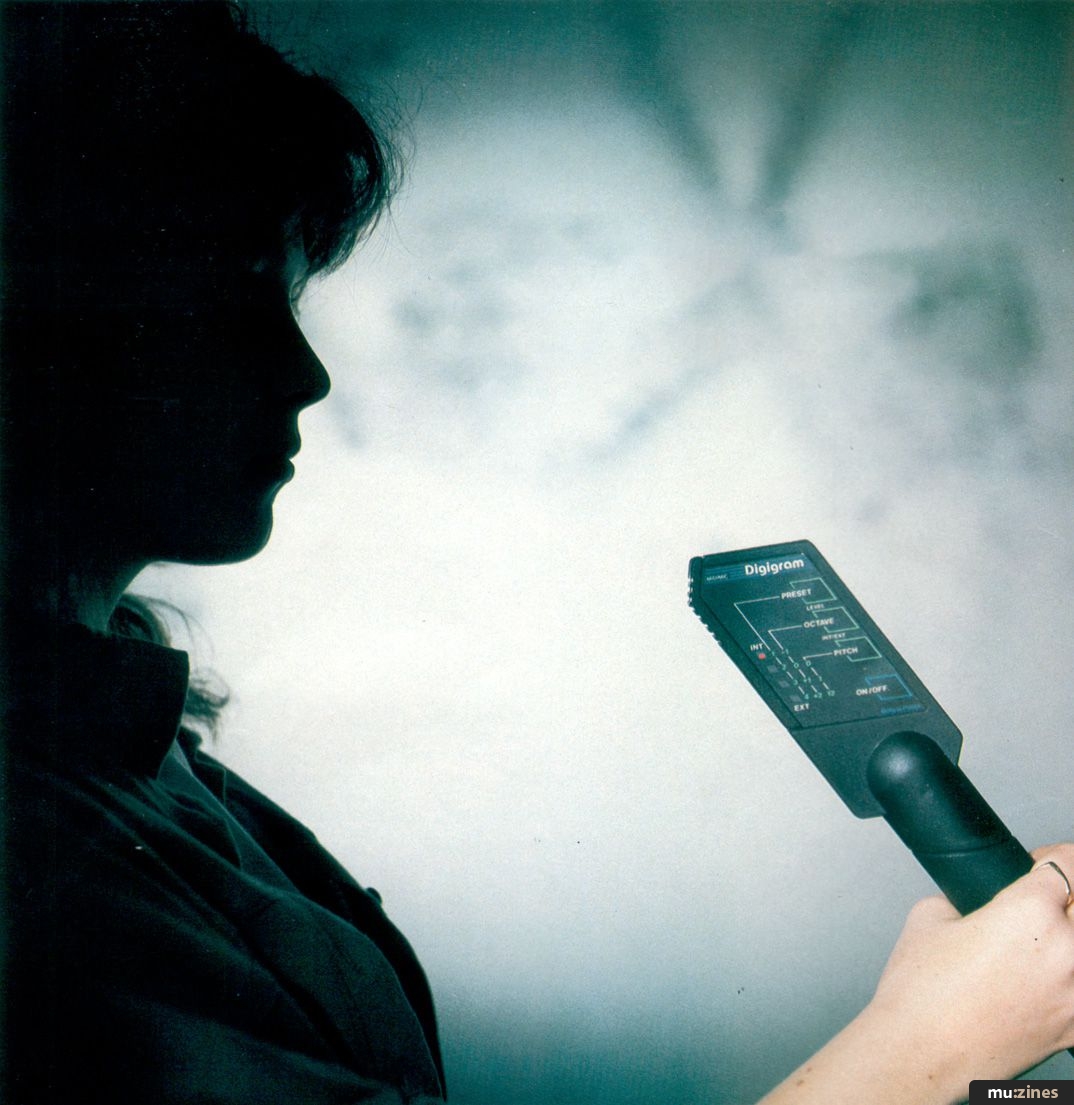
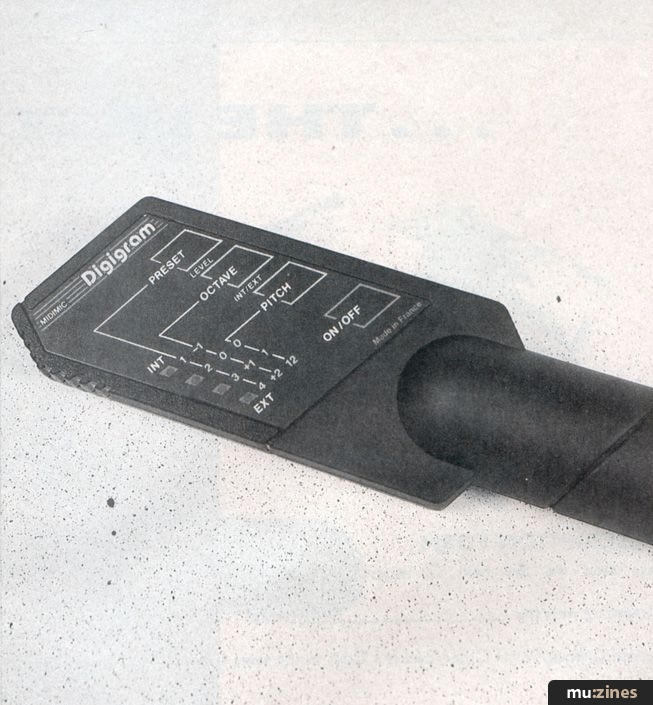
THE MIDIMIC COMES in its own dinky, pale grey, plastic briefcase, complete with snazzy logo and looking a little like something from Star Wars. It's basically a pitch-to-MIDI system in a mic, with a switchable audio in/out and a MIDI out. Plugging the Mic into MIDI In on a sound source allows you to control patches or samples solely with your voice. The audio out allows the MIDIMic to function as a conventional mic, but can also be switched to become an audio input for converting a signal from a pickup for use with an acoustic instrument. The MIDIMic is longish, matt black and roughly mic-shaped, with an unusual sloping head to sing into. One side of it is adorned with a diagram to explain the various functions (at least it's intended to) and four LEDs which light up as you step through various functions. A series of membrane switches are also located on the side of the MIDIMic, which are used to access these functions.
The manual (more like a 19-page booklet measuring 5"x3") reflects its origins - half of it is given over to operating instructions in French, and the other half to instructions in that much-neglected tongue, Franglais. To be honest, detailed info is a bit thin sur le terre. Just because vocalists are the most likely users of this device doesn't mean we don't need to know what's going on. A real manual wouldn't go amiss.
Thinking about it
THE FIRST THING you'll want to do when you switch on the MIDIMic is to set the level of tone and pitch recognition for whatever you're going to put through it. This is really just setting the appropriate speed of tracking for your voice or instrument. At a higher level, the mic is designed to detect even wrong notes and transitions more easily. The main functions are accessed by pressing either one, or a combination of membrane switches on the Mic; to set the preset tracking level, you need to press the membrane switch labelled Preset, and wait while an LED cycles through the three Preset options. When it hits the level want, just take your finger off the switch and your choice remains in memory. Digigram advise Preset level 1 for instruments such as guitars, flutes and saxes, Preset level 2 for singing voice, and Preset level 3 for a "slow singing voice". In practice, this is more or less correct. A guitar tracks most accurately at level 1, but if you sing into the Mic at this level, I guarantee a severe blow to your professional vanity. Incantation fans will be relieved to know that level 1 also proves the best bet for a clay flute.
Something akin to the Preset function is the Level function, which appears from the sketchy details in the manual to be solely for use with vocals. To access this function, you'll need to press the Preset and Octave switches simultaneously until the LED reaches the Level number you require. Level 1 is recommended for a gentle background and normal singing, Level 2 for a slightly more boisterous background and louder singing, and Level 3 for a raucous background and loud singing. Digigram add in brackets "ie, on stage". Personally I wouldn't like to guarantee the results of using the MIDIMic for live work. But more on that later. Meanwhile, at Level 3, the MIDI velocity value is fixed at 64; Level 2 transmits two (unspecified) velocity values, and Level 1 transmits three (again, unspecified).
"If you don't sing in tune and you don't know it, five minutes with the MIDIMic will quickly enlighten you to your own shortcomings."
Moving onto the Octave function, it's possible to transpose the sound you're using down one octave and up one or two octaves. This proves quite useful for patches like shrill flutes which become so piercing at higher levels that it's a relief to be able to drop them an octave so that you can hear your own voice again. You also have the option of setting what Digigram call Pitch, with a choice of two ranges: one semitone or 12 semitones (one octave). If you leave Pitch disabled (as it's possible to do), the MIDIMic will only transmit whole semi-tones nearest to the notes detected. When Pitch is enabled, the Mic should transmit the exact pitch of the note detected (that's not always a good thing). The "manual" is unfortunately extremely woolly in this area: still, I can say that giving Pitch a 12-semitone range made a noticeable improvement to the tracking of an electro-acoustic guitar.
Once you've set all the values and levels to suit you, they'll be retained in memory (the MIDIMic is powered by 9v batteries) for next time. The exception to this is the MIDI channel, which defaults to channel 1.
Tuning the MIDIMic is easy: if the sound source you're using isn't tuned to A440, as the MIDIMic is, you'll have to retune it to assist pitch recognition. To do this, simply connect the MIDIMic to a sound source (any MIDI synth or sampler) via the MIDI Out of the Mic and the MIDI In of the source and switch on the Mic, then the source, in that order. Then bring the Mic up to the speaker, and having selected a simple continuous sound (sons vibrato) such as a violin or flute, press Pitch and Preset simultaneously. The MIDIMic sends an A to the source over MIDI, which is then picked up by the MIDIMic and analysed so the Mic can tune to it. As soon as it's accepted the new A, an LED on the side will light up.
"It is possible to program a sequencer with your voice and the MIDIMic, but if you can bash a synth with one finger you might as well do it that way."
While you can use the MIDIMic simply to run an external sound source without amplifying your voice (though of course you'll always hear yourself to some extent, most vocalists not having Local off), the MIDIMic also has a built-in conventional mic so you can plug in and hear yourself, as well as your sound source wailing. The switchable RCA jack also accepts inputs from other mics (if you can't bear to be parted from your trusty '60s-vintage Unidyne B) and pickups - for example from a guitar or wind instrument. The MIDI spec is basic - you can have any channel you like, as long as it's one or two.
Using it
LETS MAKE IT clear: you're going to need a hell of a technique to make the MIDIMic really come up to scratch. If you're a singer and you know you don't really sing in tune, you might as well forget the MIDIMic and invest in some singing lessons. If you don't sing in tune and you don't know it, five minutes with the MIDIMic will quickly enlighten you to your own shortcomings. Even if you generally do sing in tune, you'll begin to feel like all those MIDI guitarists feel when they discover that they don't have the accuracy necessary for clean and glitch-free playing. If it never came to anything else, the MIDIMic would be an excellent aid-to-singing-in-tune.
With a bit of practice, it becomes more obvious what you have to do with your voice to make the Mic behave. You'll have to sacrifice a lot of subtlety and nuances to make it track accurately, and a pronounced vibrato seems to give it problems. The major stumbling block as far as I can see is the fact that the MIDIMic really should track faster. There is a perceptible delay which can be annoying, and you have to resign yourself to singing rather slowly so that it doesn't skip over notes. Synth sounds with a medium attack seem to fare best, such as some flute and string patches or samples.
The Mic will track if you actually sing words (like in a song), but it seems to be happier with la la's and similar embarrassing parts of the singer's vocabulary. You'll also have to make sure new notes have a pronounced attack, as sliding up or down to them often causes the Mic to miss the new pitch. If you can overcome these difficulties, it is even possible to program a sequencer with your voice, which is quite a novel experience, but I have to say if you can bash a synth monophonically (with one finger) or blow down a wind controller, you might as well do it that way as with the MIDIMic. If you can't, then you might well be charmed with the idea of singing your own mega-melody lines into a sequencer and having them play back to you (don't forget you can also edit your out-of-tune bits). Also there's no doubt that you think of melody quite differently when singing as when picking out a tune on a piano. Similar considerations are encountered when using the MIDIMic with an electro-acoustic guitar; notes are occasionally skipped over if they aren't very sharply picked, the Mic doesn't seem to respond to hammer-ons or slurs, and its response to harmonics is decidedly patchy. Of course much of this may well be due (at least in part) to the shortcomings of the player, but I maintain you'll need a pretty good technique to ensure an accurate response. Once again, an excellent prod to getting it right, or a timely reminder of your imperfections. In the same way as with a vocal, though, the slowness of the tracking could be a bit of a problem.
Verdict
TO THEIR CREDIT, Digigram seem to have recognised that using the MIDIMic is not a bowl of cherries. The manual points out that it's almost certainly necessary to change your style of singing or playing to accomodate pitch-to-MIDI conversion. Also in fairness to Digigram, no-one else seems to have completely overcome this yet. They point out the difficulty of staying perfectly in tune and eliminating transitional notes, as well as giving hints for using the Mic with an instrument. Despite the problems, I quite enjoyed playing with the MIDIMic, and I can see that in the hands of someone fairly exceptional (and very patient) it could become an unusual performance tool. There is undeniably a thrill in producing a lush (if slow) orchestral melody with your voice, or in singing a flute line. Try the MIDIMic but don't expect miracles. Someone had to do it first and the MIDIMic can only get better.
Price £109.95 including VAT
(Contact Details)
Also featuring gear in this article

Publisher: Music Technology - Music Maker Publications (UK), Future Publishing.
The current copyright owner/s of this content may differ from the originally published copyright notice.
More details on copyright ownership...

Music Technology - Oct 1988
Gear in this article:
Review by Debbie Poyser
Help Support The Things You Love
mu:zines is the result of thousands of hours of effort, and will require many thousands more going forward to reach our goals of getting all this content online.
If you value this resource, you can support this project - it really helps!
Donations for May 2026
Issues donated this month: 0
New issues that have been donated or scanned for us this month.
Funds donated this month: £0.00
All donations and support are gratefully appreciated - thank you.
Magazines Needed - Can You Help?
Do you have any of these magazine issues?
If so, and you can donate, lend or scan them to help complete our archive, please get in touch via the Contribute page - thanks!
Please Contribute to mu:zines by supplying magazines, scanning or donating funds. Thanks!
Monetary donations go towards site running costs, and the occasional coffee for me if there's anything left over!

 @mu_zines
 RSS Feed
 Blog
Blog